
Win-Back Broadcast Tutorial: Re-Engage Old Customers, One Personal Message Each
Pick a session, tell the AI why you're reaching out, and it writes a personal message for every customer — skipping the ones it shouldn't disturb. Step-by-step, with the safety rails explained.
Every business has customers who bought, chatted, and went quiet. The Broadcast Assistant wakes them up — but not with one template blasted at a list. You give it a reason to reach out; it reads each customer's chat history, decides for each one whether to reach out at all, and writes each message individually. Sent from your own number, at a human pace.
It only works on people you already have chat history with. That's by design — messaging strangers is how numbers get banned.
🎬 2-minute demo path — showing this live?
- Open AI Nexus → click Broadcast → pick a session, show the audience appear.
- Type one line: "share our new spring catalog."
- Start it, open progress: some customers get messages — each different — and some show as skipped, because the AI judged the pitch didn't fit them. That's the sell.
Step 1 — Open the Broadcast Assistant and pick your audience
In AI Nexus, click the Broadcast button in the header. The wizard has four steps: Contacts → Setup → Message → Run.
The Contacts step asks one thing: which session (WhatsApp number) to re-engage from. Your audience is automatically every customer with chat history in that session — groups excluded, no hand-picking needed:
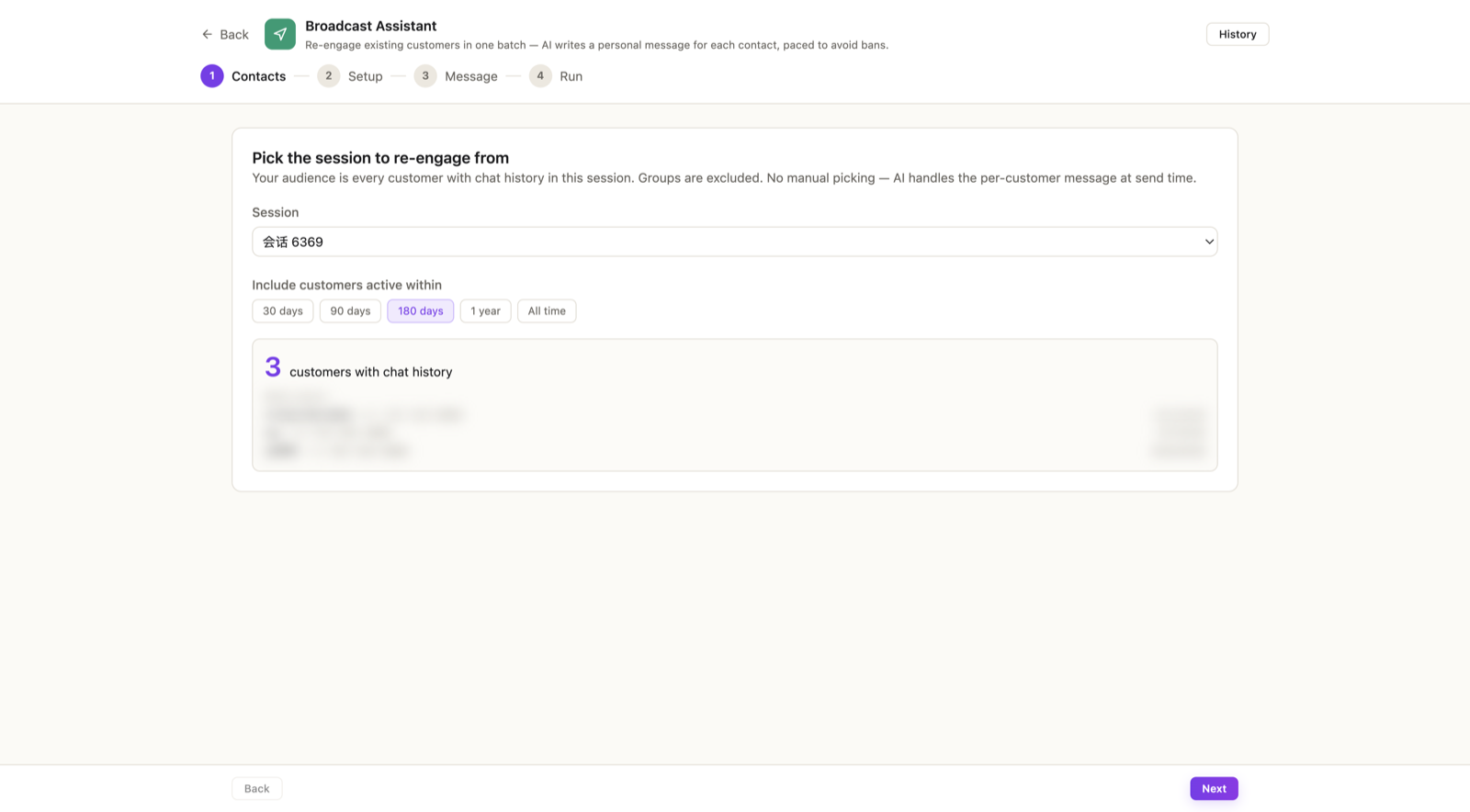
Then narrow by recency: Include customers active within 30 days / 90 days / 180 days / 1 year / All time. 180 days is the default and a good start — recent enough to remember you, old enough to be worth waking.
✓ Done when the customer count looks right and the preview names look familiar.
Step 2 — Set the pace
The Setup step controls how fast messages go out:
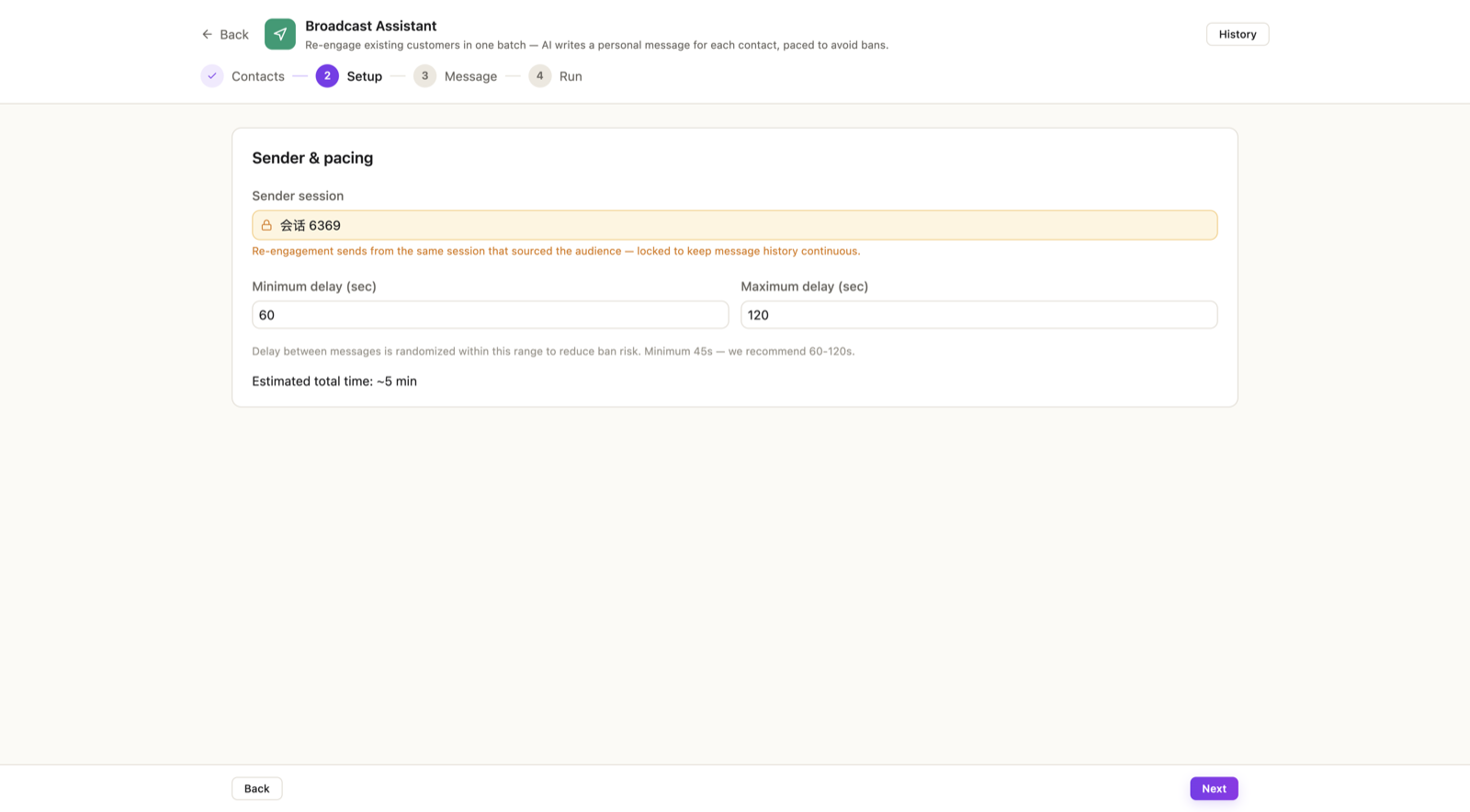
Messages are spaced by a random delay between your minimum and maximum — that's what makes the batch look like a person working through their contacts rather than a machine. The floor is 45 seconds; we recommend 60–120 seconds. The screen shows the estimated total time; a 100-person batch at that pace takes a couple of hours. Let it.
The sender is locked to the session you picked — messages continue in the same chat history the customer already has with you.
✓ Done when delays are 60–120s and the time estimate doesn't scare you. (If it does, narrow the audience, not the delays.)
Step 3 — Tell the AI why, not what
The Message step is one field: Outreach purpose. You don't write the message — you write the reason:
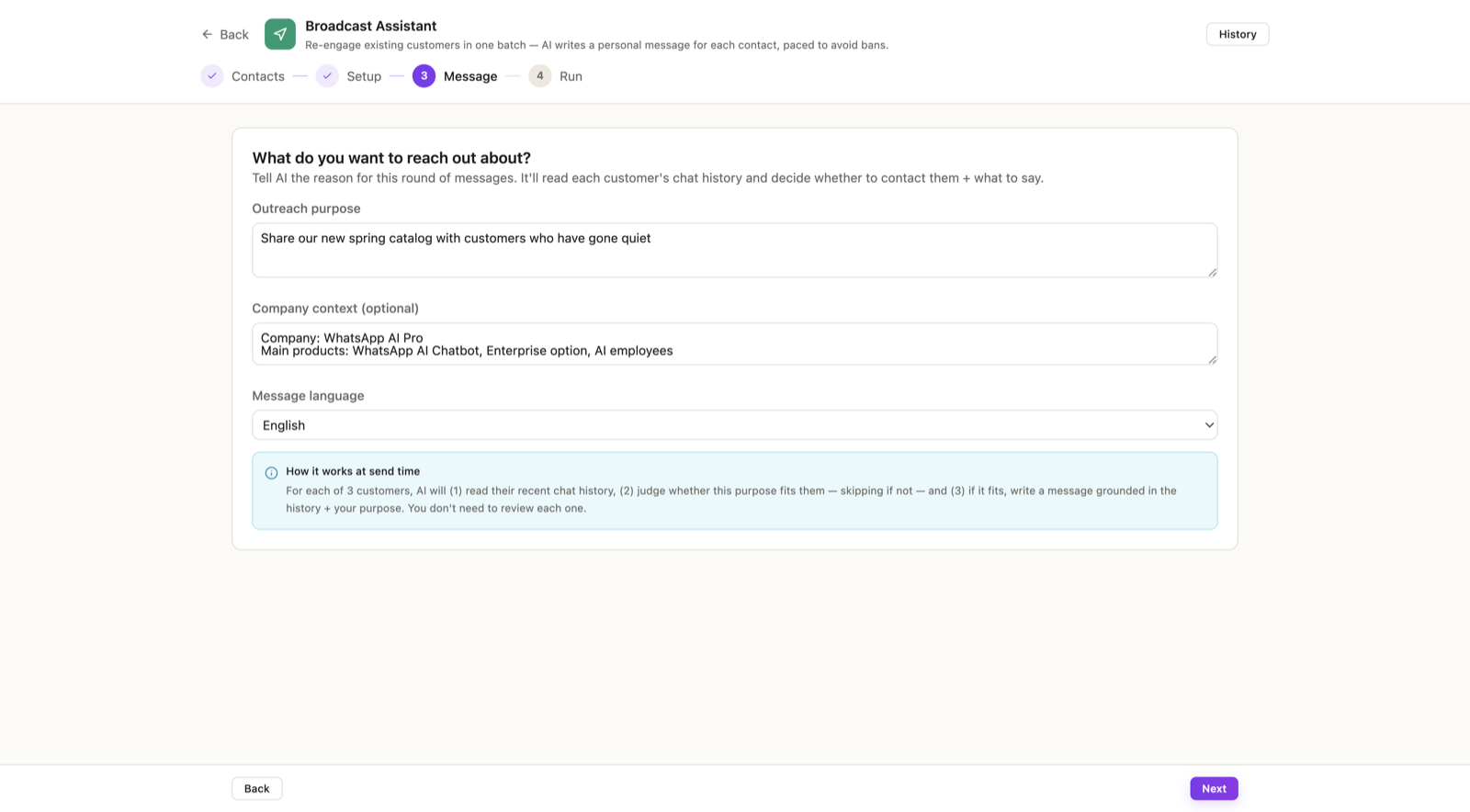
Good purposes:
- "Share our new spring catalog."
- "Check in on customers who haven't ordered in 3 months."
- "We restocked the item many people asked about."
For each customer, the AI reads their recent conversation, judges whether this purpose fits them — a customer who complained last month shouldn't get a cheery catalog blast, so they're skipped — and, if it fits, writes a message grounded in that specific history, in that customer's language.
✓ Done when the purpose is one honest sentence. Don't write the message inside it — the more you script, the less the AI can personalize.
Step 4 — Run it, watch it, trust the skips
Hit Start batch. Progress shows four numbers: sent · failed · skipped · total.
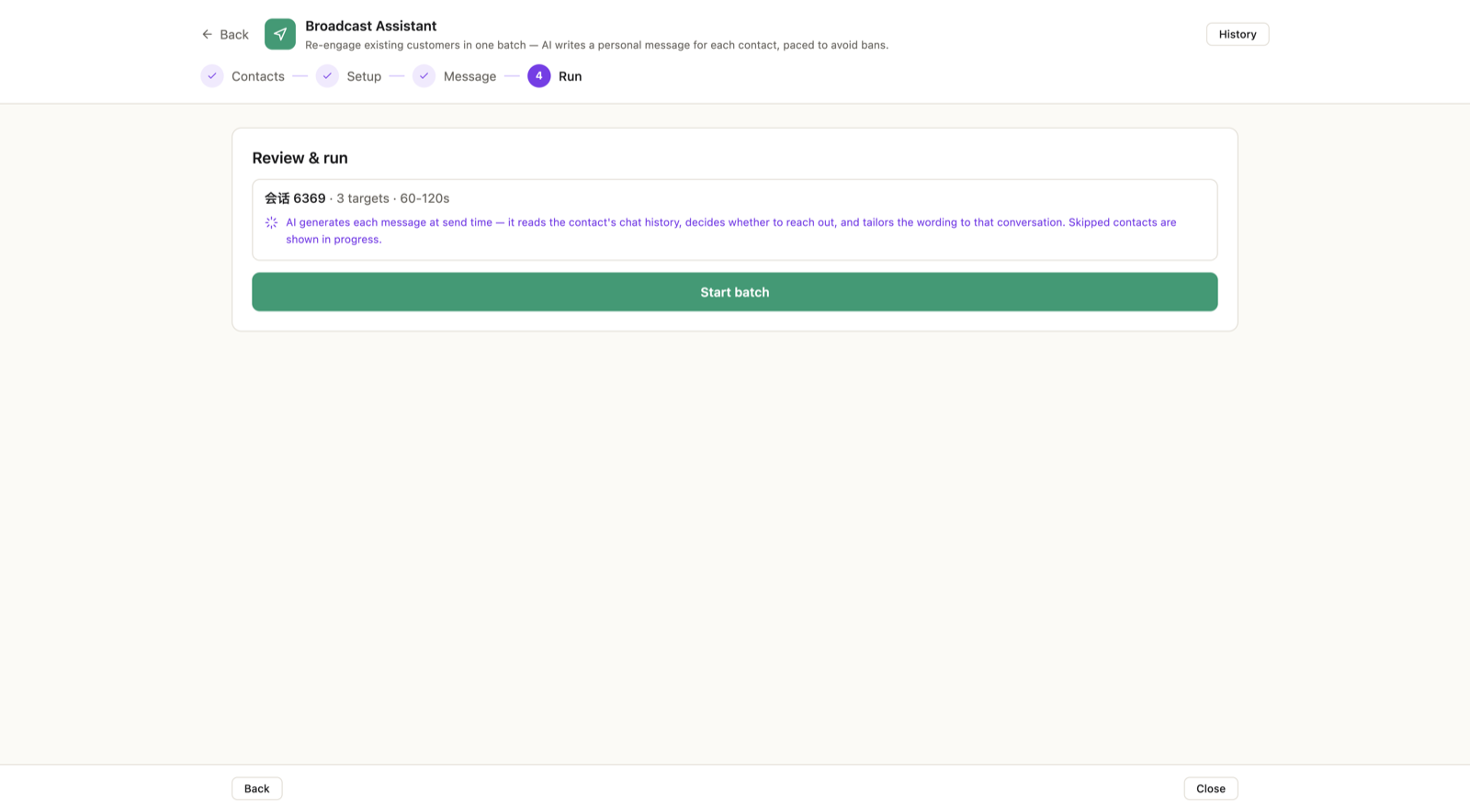
Skipped is a feature, not a failure. Each skip is a customer the AI judged shouldn't get this particular message. A batch with zero skips would mean nobody was being judged.
Controls, and the rails behind them:
- Pause / Resume anytime; closing the app pauses the batch, and it offers to resume next launch.
- Two consecutive send failures pause the batch automatically — repeated failures can mean WhatsApp is throttling you, and continuing would make it worse.
- Cancel stops the rest; already-sent messages can't be unsent.
Afterwards, the History view keeps every batch with per-customer outcomes, and you can mark results — replied, converted, declined — to see what a campaign actually earned.
✓ Done when the batch completes and replies start appearing in your chat list — where your AI agent picks them up like any other conversation.
Things that trip people up
"Can I upload a phone list from Excel?" No — and that's deliberate. Broadcasts only go to people with existing chat history in your session. Cold lists to strangers are the fastest route to a banned number.
"Can I preview each message before it sends?" No — messages are written at send time, each from that customer's live history. Your control points are the purpose (write it carefully) and the pace. If that feels too loose for a first run, start with a small audience: set the range to 30 days.
"How many people at once?" Think dozens, not thousands. Bigger audience → split over days. Your number's health outlasts any single campaign.
Also see: The AI CRM keeps the re-engaged deals from going quiet again →