
Automatic Replies on WhatsApp: Free, API, or AI?
WhatsApp's free auto-reply is one canned line. The Business API needs verification, a developer, and ~$200/month. AI agents skip both — here's where each fits.
There are three ways to automate WhatsApp replies in 2026. They sound similar but work completely differently, cost completely differently, and solve completely different problems.
Option 1: WhatsApp Business App (Free)
This is what most people start with. You download the WhatsApp Business app, set up a business profile, and turn on auto-replies.
What you actually get:
- Greeting message — fires when someone messages you for the first time, or after 14 days of no contact. One message. You write it, it sends automatically.
- Away message — fires outside your business hours. Again, one message.
- Quick replies — shortcuts you type manually. Hit "/" and pick a template. This isn't automation — it's copy-paste with fewer steps.
That's it. No keyword triggers. No AI. No conversation flows. Someone asks about pricing at 2am, they get "Thanks for reaching out! We'll get back to you during business hours." Doesn't matter if the answer is sitting right there in your product catalog.
Who this works for: Solo operators with low message volume who just need a "we're closed" placeholder. If you get fewer than 10 messages a day and can reply to all of them personally, this is fine.
Who this doesn't work for: Anyone selling across time zones. Anyone getting repeat questions. Anyone who's ever lost a deal because they replied 6 hours too late.
Option 2: WhatsApp Business API
The API is Meta's official solution for businesses that need real automation. It's powerful, but the setup process will test your patience.
What you need before you start:
- A verified business (government ID, tax documents, the works)
- A dedicated phone number — can't use your personal WhatsApp
- A Business Solution Provider (BSP) or direct Cloud API integration
- A developer, or the willingness to become one
What you get:
Full programmatic control. You can build keyword-triggered responses, multi-step conversation flows, appointment reminders, order confirmations — whatever you can code. Some BSPs now offer AI-powered bots on top of the API.
The catch — per-message pricing:
| Message type | Cost per message |
|---|---|
| Service (within 24h reply window) | Free |
| Marketing | $0.16–0.24 |
| Utility (confirmations, updates) | $0.01–0.04 |
| Authentication | Varies |
These costs add up fast. If you're sending 1,000 marketing messages a month, that's $160–240 just in message fees, on top of your BSP subscription.
Setup timeline: 3–7 days with all documents ready. Two weeks or more if verification stalls. New accounts start with a 250-conversation-per-day limit that gradually increases.
Option 3: Desktop AI Agent (WhatsApp AI Pro)
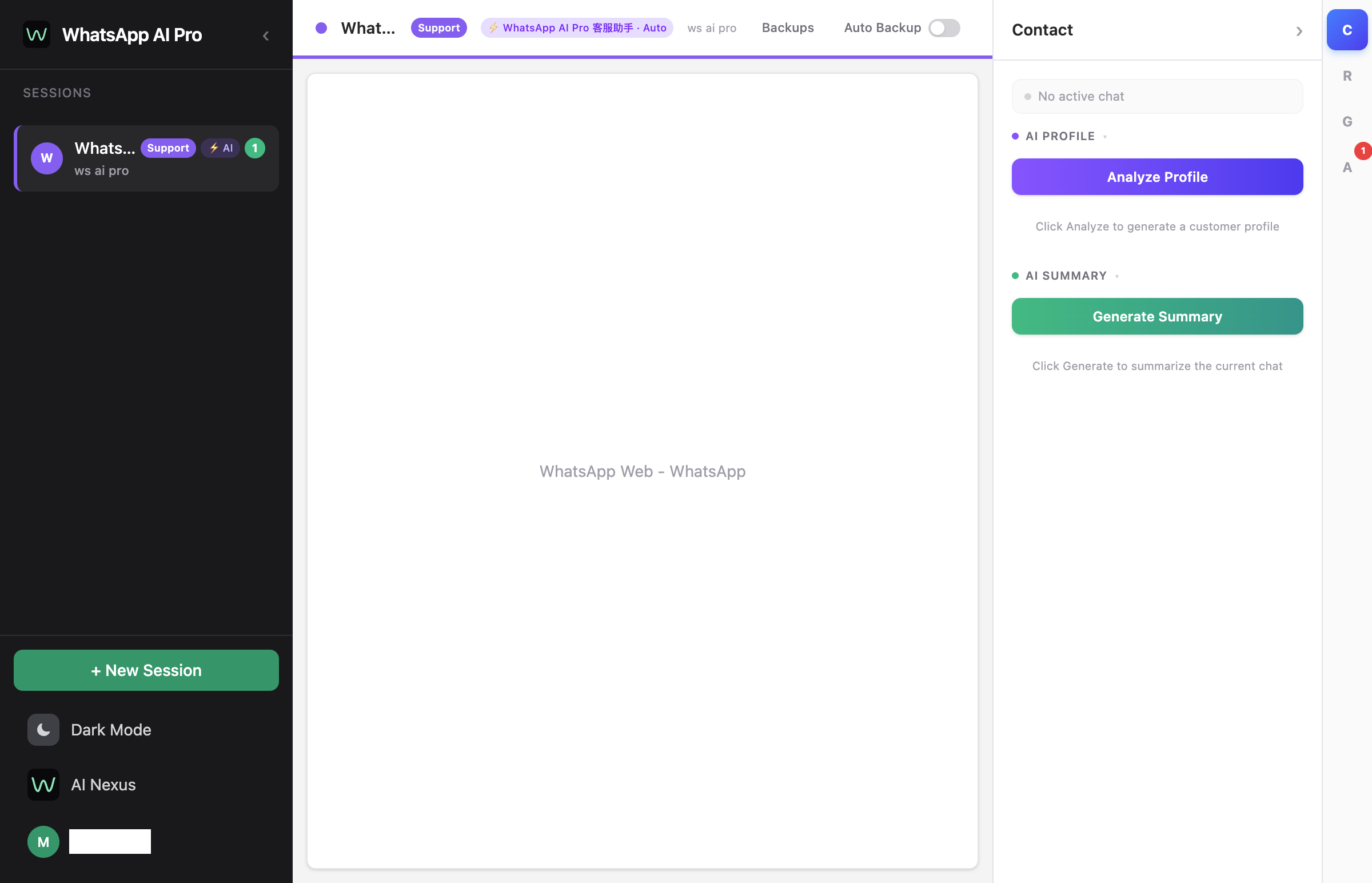
We're the WhatsApp AI Pro team, so yes, we're biased. But here's how it differs from the first two options.
Dead-simple setup — three steps:
- Download and install — takes one minute
- Scan a QR code to connect WhatsApp — same as logging into WhatsApp Web on your computer
- Create an AI agent, upload your product materials, done
No API approval, no business verification, no dedicated phone number, no coding required. Works with your existing WhatsApp account.
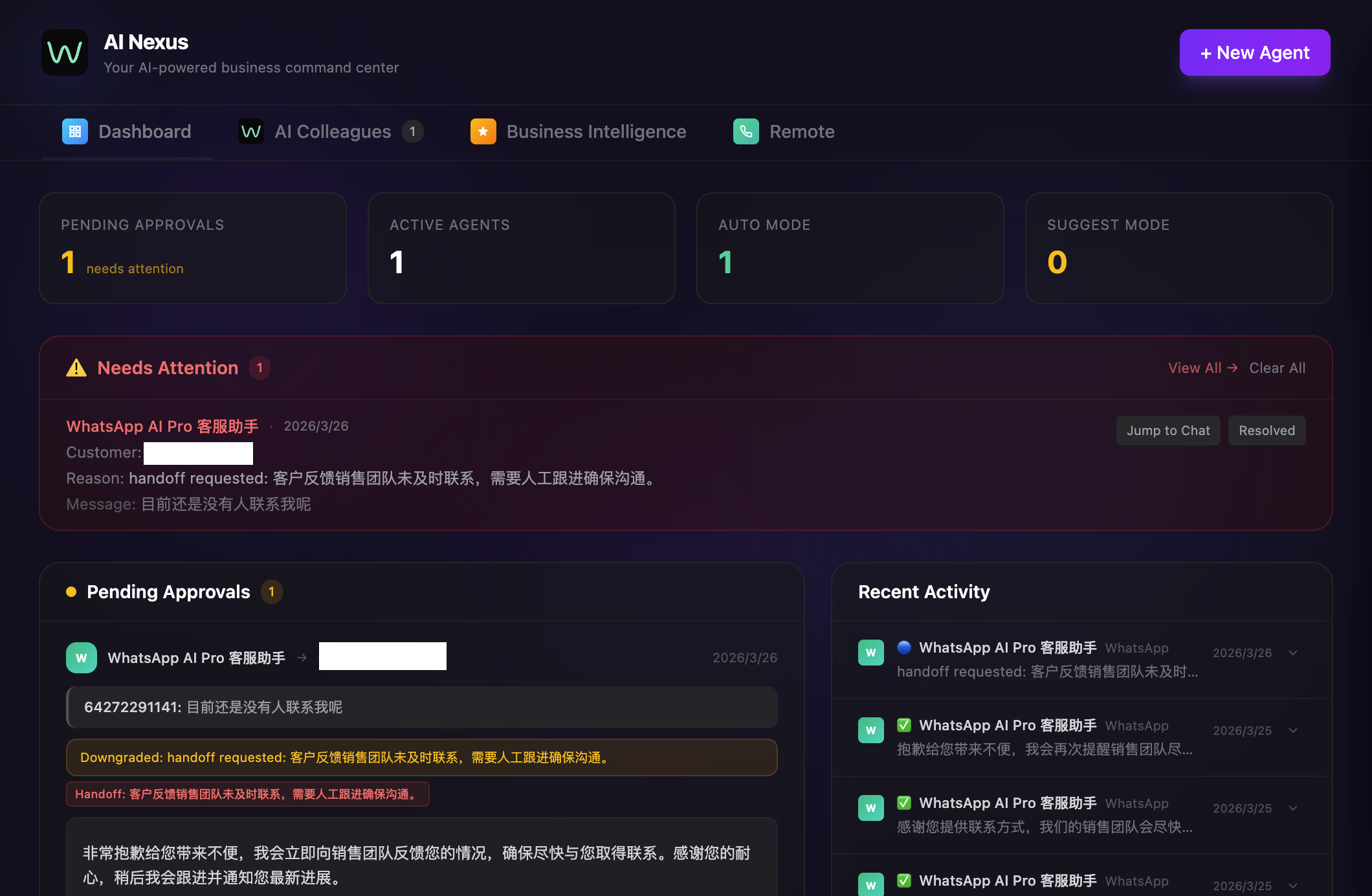
The AI runs fully on autopilot — you don't need to babysit it:
Once configured, the AI works in the background on its own:
- Auto-detects conversations — when a new message arrives, the AI reads the content and intent, and decides whether to respond
- Auto-generates replies — based on your uploaded product catalog, pricing, and FAQs, in the customer's own language
- Auto-sends — starts in draft mode so you can review, then switch to full auto once you're confident and the AI sends directly
- Auto-tracks progress — which stage each customer is at, their intent level, whether follow-up is needed — the AI keeps track for you
- Auto-alerts you — when the AI encounters conversations it can't handle (complex requirements, complaints), it flags and notifies you to step in
What this looks like in practice:
A customer messages at 3am in Portuguese asking about MOQ for a specific product. The AI:
- Detects the language
- Looks up the product in your knowledge base
- Replies in Portuguese with the correct MOQ, pricing tier, and lead time
- Logs the conversation in the built-in CRM
- Tags the customer's interest level
You wake up, check the dashboard, and see it's already handled.
What it costs: $99/month flat. No per-message fees. No per-contact fees. Connect as many WhatsApp accounts as you need.
What it can't do: It doesn't have the official API's ability to send template messages to customers who haven't messaged you first (cold outreach). It only replies to incoming conversations. If you need mass outbound marketing messages, you still need the API.
The honest comparison
| Business App | Business API | WhatsApp AI Pro | |
|---|---|---|---|
| Auto-reply intelligence | Static templates | Programmable flows | AI with knowledge base |
| Languages | 1 per message | Template-based | 15+ real-time |
| Setup time | 5 minutes | Days to weeks | 5 minutes |
| Monthly cost | Free | $50–500+ (BSP + messages) | $99 flat |
| Requires API approval | No | Yes | No |
| Dedicated phone number | No | Yes | No |
| Can handle product questions | No | If you build it | Yes, from knowledge base |
| Cold outbound messages | Broadcast to 256 | Yes, at scale | No |
| Data storage | Meta's servers | BSP's servers | Your computer |
Which one should you pick?
Use the free Business App if you just need a "we're away" message and handle everything else manually. Zero cost, zero setup, zero intelligence — but sometimes that's enough.
Use the Business API if you need official outbound marketing at scale, you have developer resources, and per-message costs fit your budget. It's the most powerful option, but also the most complex and expensive.
Use a desktop AI agent if your main problem is responding to incoming inquiries — especially across languages and time zones — and you want AI that actually knows your products. No API hassle, flat pricing, data stays on your machine.
Most small to mid-sized exporters we talk to land on option 3, because their bottleneck isn't outbound marketing — it's keeping up with the inquiries they already have. But if your bottleneck is different, the right answer might be different too.
Try WhatsApp AI Pro free for 7 days →
Going deeper:
- Smarter WhatsApp Auto-Reply: AI That Reads Each Message — full setup walkthrough for the AI option
- Respond.io vs WATI — if you're leaning toward an API platform
- Best WATI Alternative — if WATI's setup looks too heavy