
WhatsApp AI Pro Setup: A Step-by-Step Walkthrough (2026)
Install, link your WhatsApp, teach the AI about your business, and ship your first AI-drafted reply — in about 15 minutes, screenshot by screenshot.
What you'll have when you're done
About 15 minutes from now you'll have:
- WhatsApp AI Pro installed and linked to your phone's WhatsApp.
- The AI knows your products, prices, and policies.
- A live AI agent drafting replies for every incoming message — in the customer's language.
- A pipeline view of every conversation, sorted by stage (New inquiry → Quoted → Negotiating → Closing).
The app guides you through this with a Quick Setup checklist in the sidebar — 5 ticks, in order. This tutorial follows the same order, screenshot by screenshot, so you can keep this page open next to the app and just match the picture.
If you'd rather watch:
Step 1 — Install the app
Grab the installer from the Download page.
- macOS: Intel or Apple Silicon (M1/M2/M3/M4). Needs macOS 12 Monterey or later.
- Windows: Windows 10 or later, 64-bit.
First launch shows a welcome modal. Click Get Started to dismiss it — the Quick Setup checklist on the left sidebar is what you'll work through next.
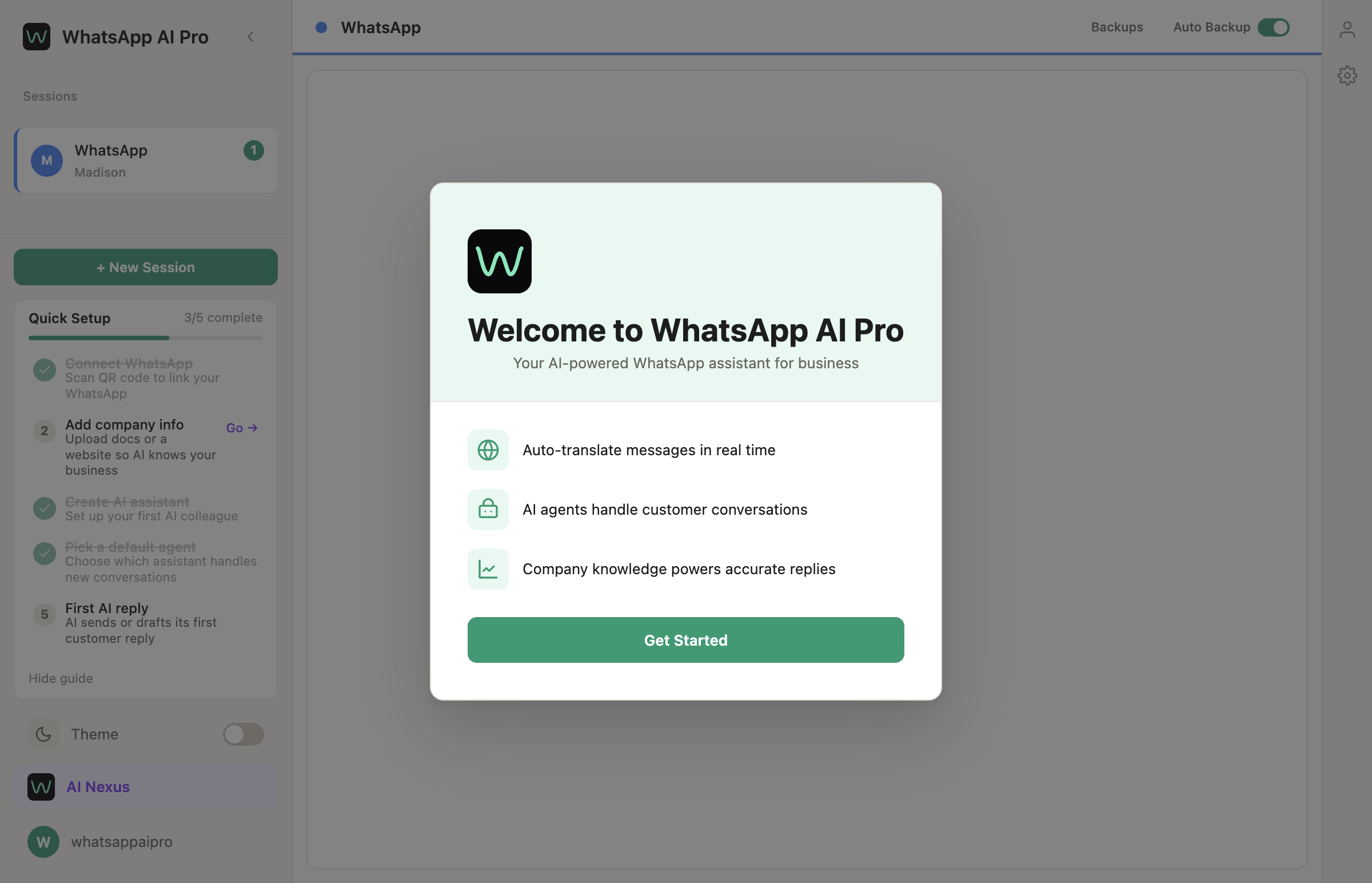
macOS security warning? Right-click the app icon → Open → confirm. Standard Gatekeeper thing. Full troubleshooting in our installation permissions guide.
✓ You're done with Step 1 when the welcome modal is closed and you see the empty main window with Quick Setup 0/5 in the left sidebar.
Step 2 — Connect your WhatsApp (Checklist item 1)
In the left sidebar, click + New Session. A QR code appears in the main panel.
On your phone:
- Open WhatsApp.
- Settings → Linked Devices → Link a Device.
- Scan the QR code on your computer screen.
The session connects in 5–10 seconds and the main window starts loading your chats.
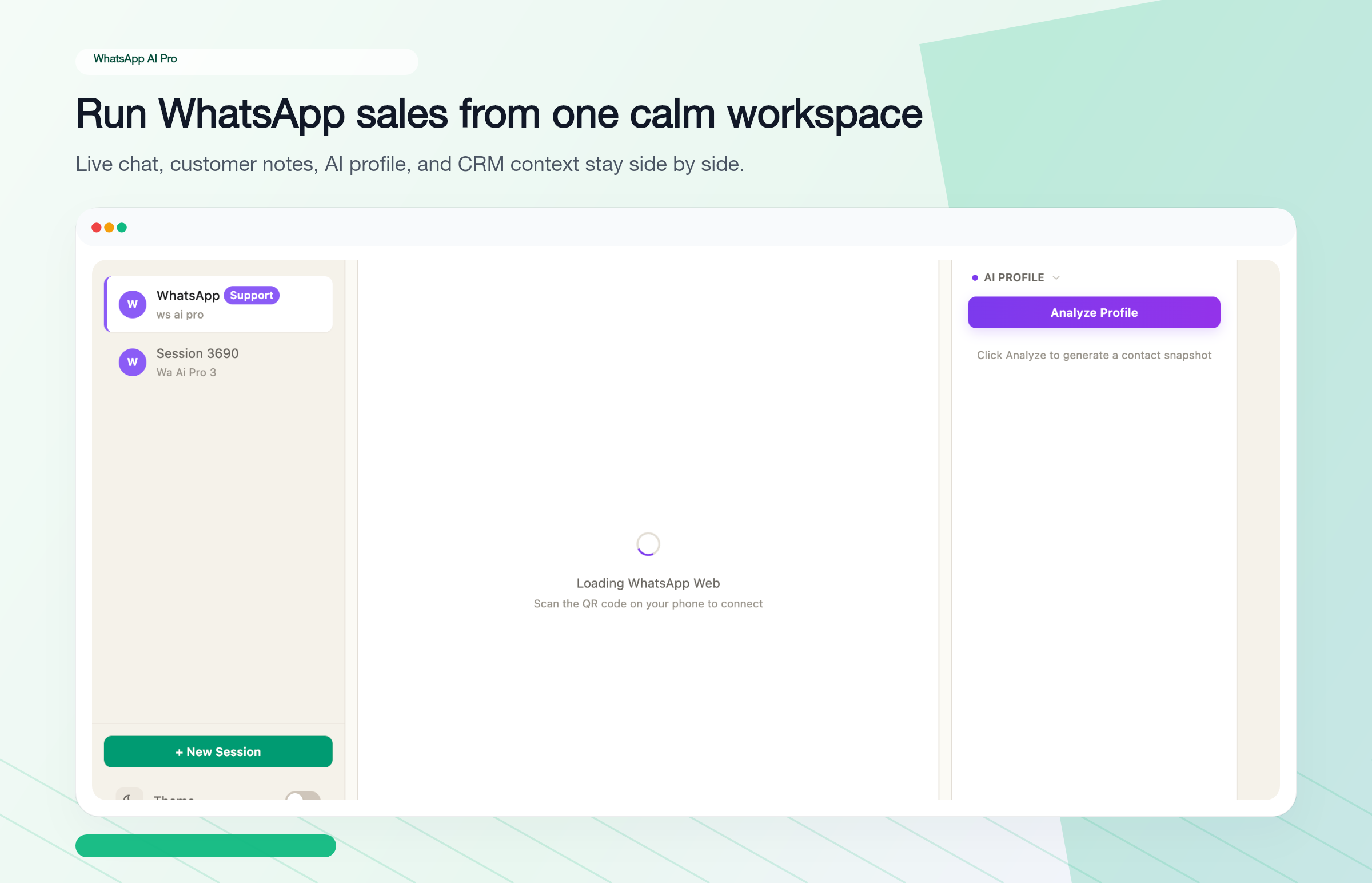
Important gotcha. If you already have WhatsApp Web open in a browser, close it first. WhatsApp allows multiple linked devices, but having Web and AI Pro open together causes messages to show up in one place and not the other. Reopen the browser tab later if you need it.
You can repeat this step for multiple WhatsApp numbers — each one becomes a separate session in the sidebar.
✓ You're done with Step 2 when your chats appear in the middle column and the checklist item "Connect WhatsApp" has a green tick.
Step 3 — Tell the AI about your business (Checklist item 2)
This is the step that decides whether the AI is actually useful or just makes things up. Don't skip it.
In the sidebar, click AI Nexus at the bottom — this is the command center where you train and manage your AI agents. First-time visitors see a welcome screen with three ways to feed in your business knowledge:
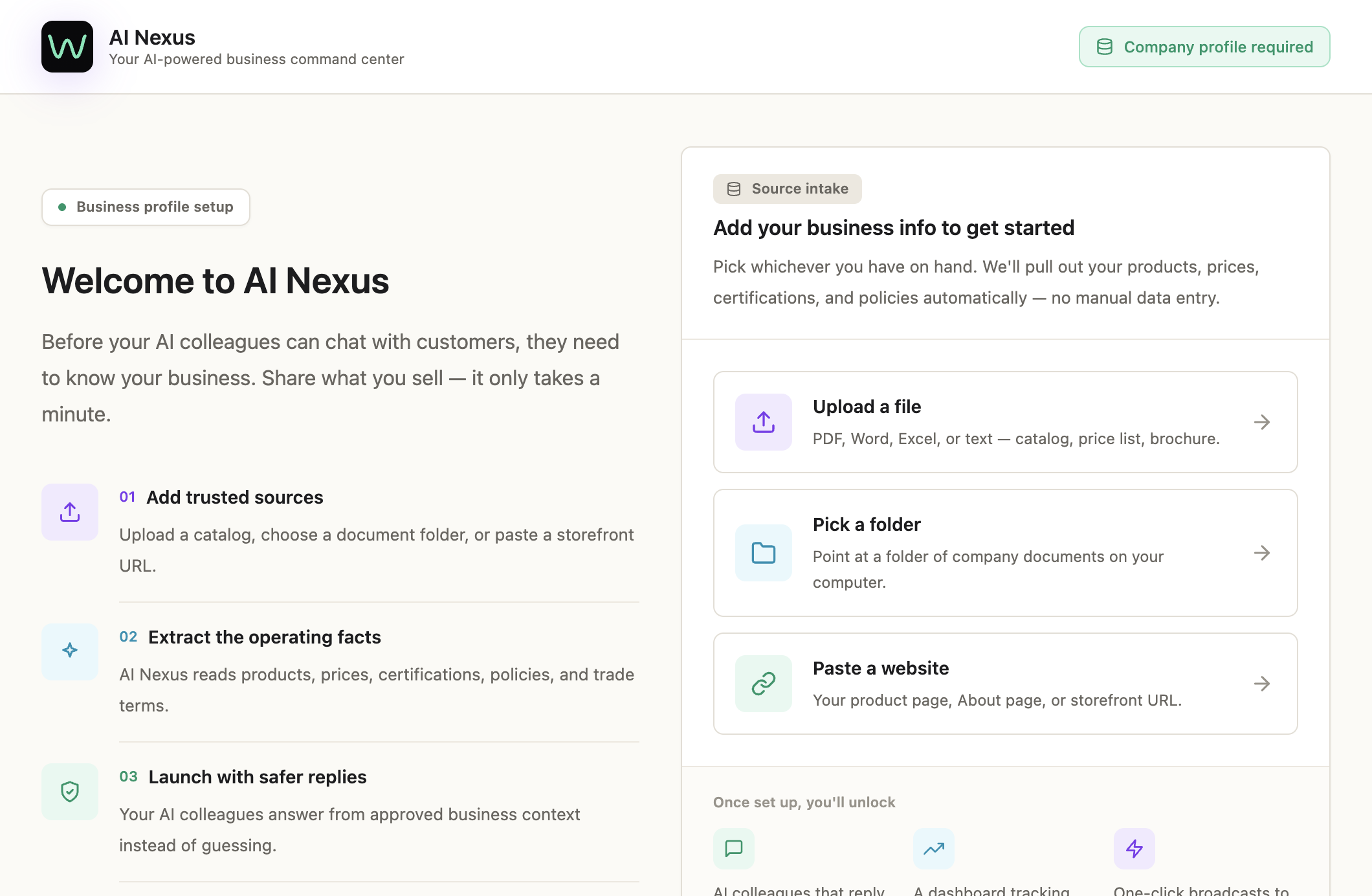
Pick whichever you have on hand:
- Upload a file — PDF, Word, Excel, or plain text. Catalogs, price lists, brochures all work.
- Pick a folder — point AI Pro at a folder on your Mac/PC and it ingests everything inside.
- Paste a website — your product page, About page, or storefront URL.
The system reads the source, extracts products / prices / policies / trade terms, and saves a structured profile. After it finishes, switch to the Business Intelligence tab to review what got extracted and fix anything wrong:
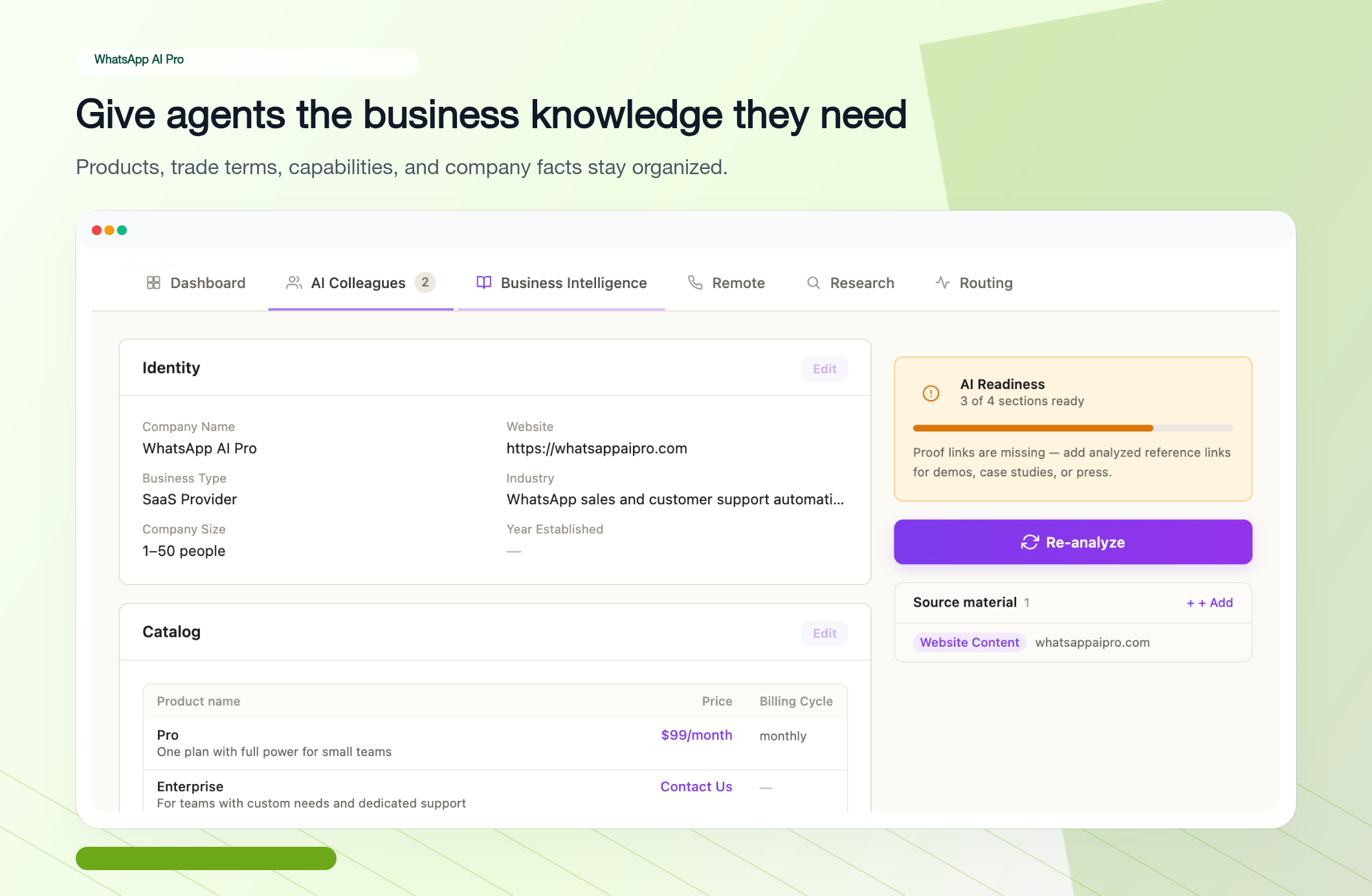
Watch the AI Readiness indicator on the right. It scores 0–4 sections completed. Below 4 means the agent will hedge on questions it can't answer; at 4 it speaks with grounded confidence. If you're missing Proof links (case studies, press), it'll prompt you to add them.
✓ You're done with Step 3 when AI Readiness is at least 3/4 and the Catalog table shows your real product names and prices — not placeholder rows.
Step 4 — Create your first AI Colleague (Checklist item 3)
Still inside AI Nexus, click the AI Colleagues tab → + New Agent. You'll get a preset picker:
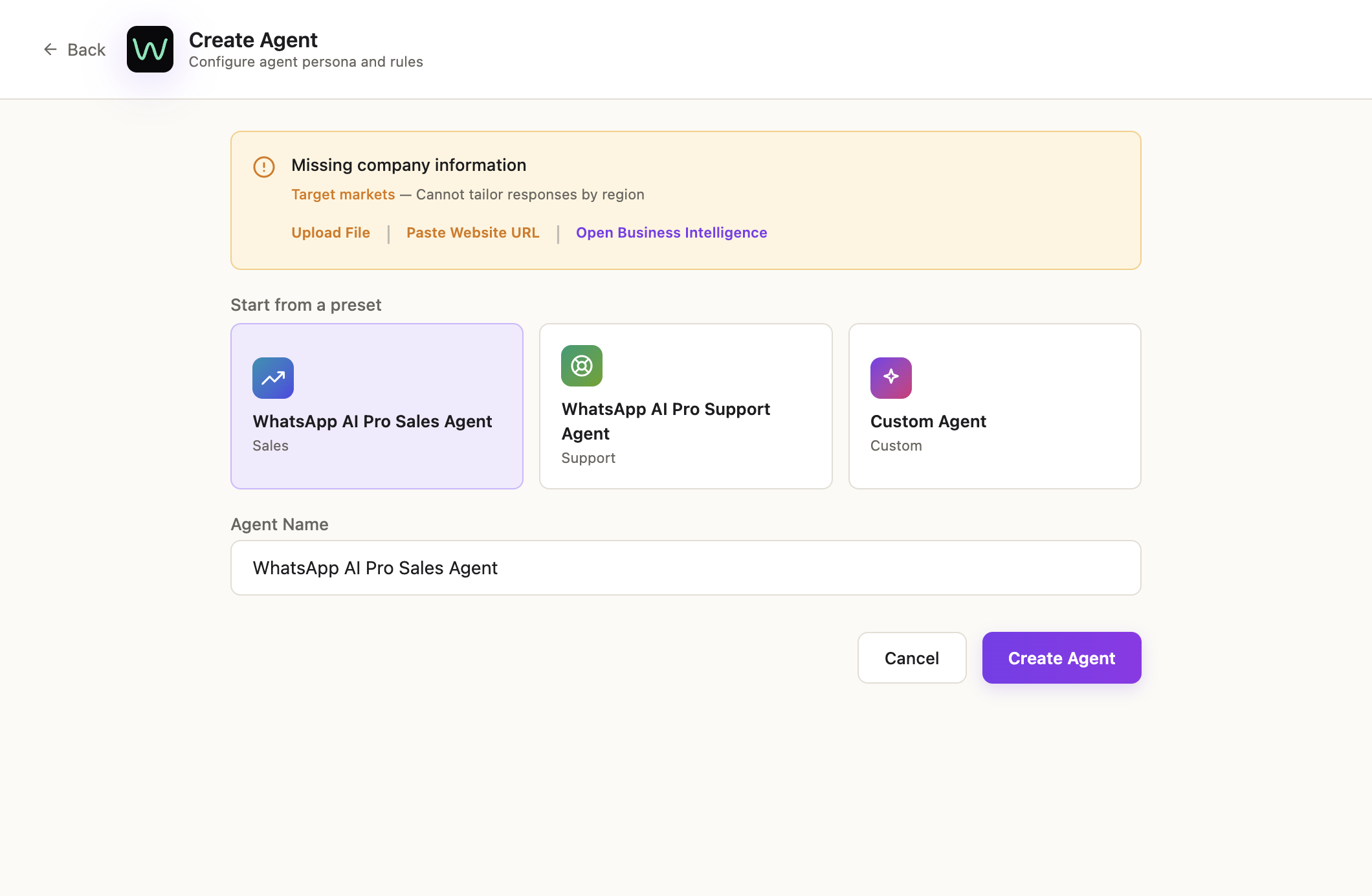
- Sales Agent — handles inbound inquiries, quoting, follow-up. Most people start here.
- Support Agent — handles post-sale questions, returns, troubleshooting.
- Custom Agent — write your own persona from scratch.
Pick one, name it (the default is fine), click Create Agent.
If the orange "Missing company information" banner appears, you skipped Step 3 — finish Business Intelligence first, otherwise the agent will refuse to quote prices.
✓ You're done with Step 4 when the new agent card appears in the AI Colleagues list with a sales (or support) badge under its name.
Step 5 — Refine the agent by chatting with it
This is the part most other tools don't have. Instead of editing prompts in a config file, you train your agent by talking to it.
On the agent card, click Edit → the side panel opens on the Refine tab:
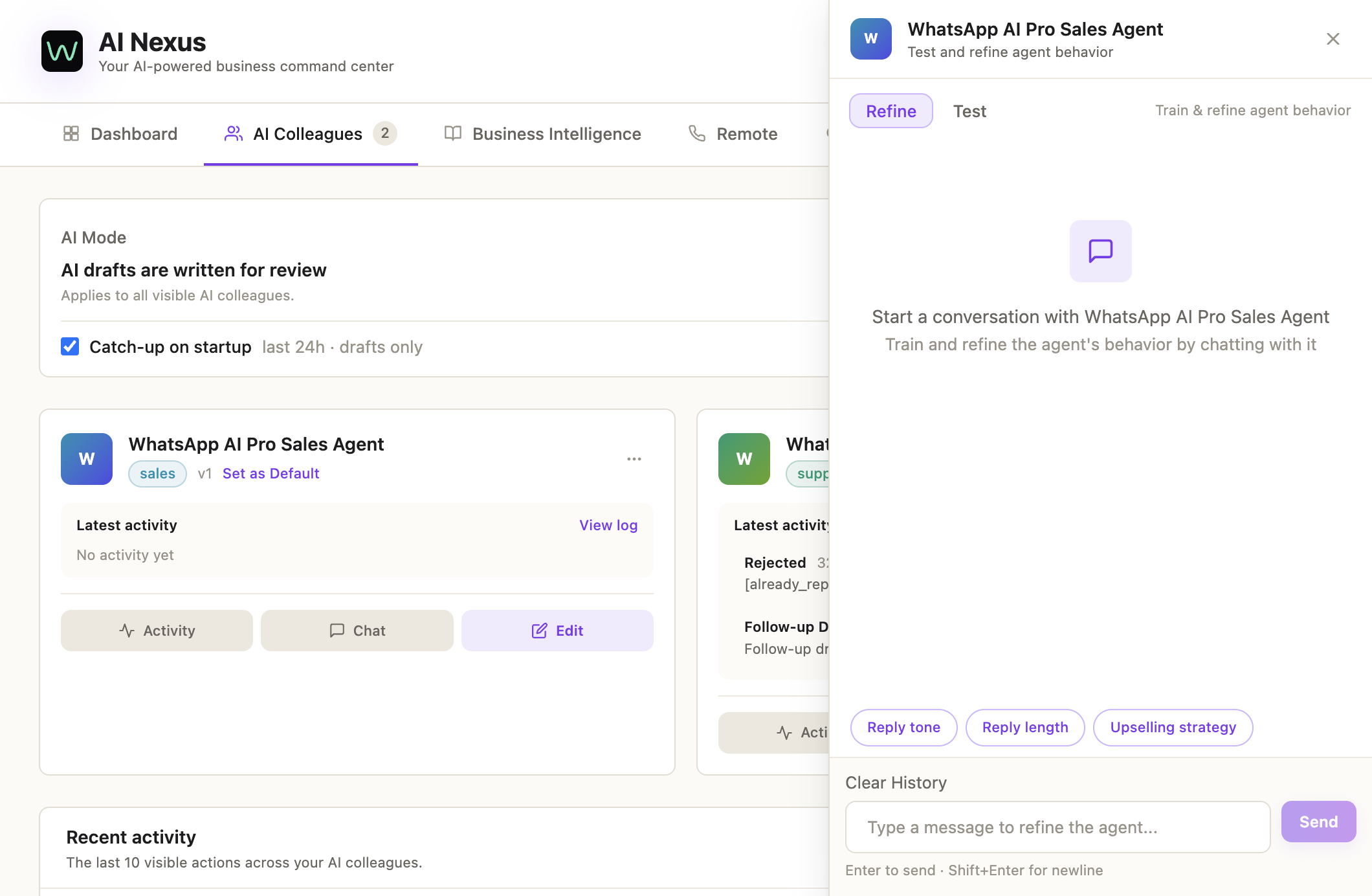
Type instructions in plain English (or any language). Examples that work well:
- "Always greet the customer by name if it's available."
- "Never promise delivery dates without checking the order system first."
- "If the customer asks for a discount under 5%, approve it. Above 5%, draft only — don't send."
- "Keep replies under 3 sentences unless they ask for details."
Each instruction you confirm gets added as a training note. The agent uses these alongside your Business Intelligence on every reply.
✓ You're done with Step 5 when the Refine panel shows at least 2–3 saved instructions and you've clicked Save Changes.
Step 6 — Test it as a customer before going live
In the same side panel, switch to the Test tab:
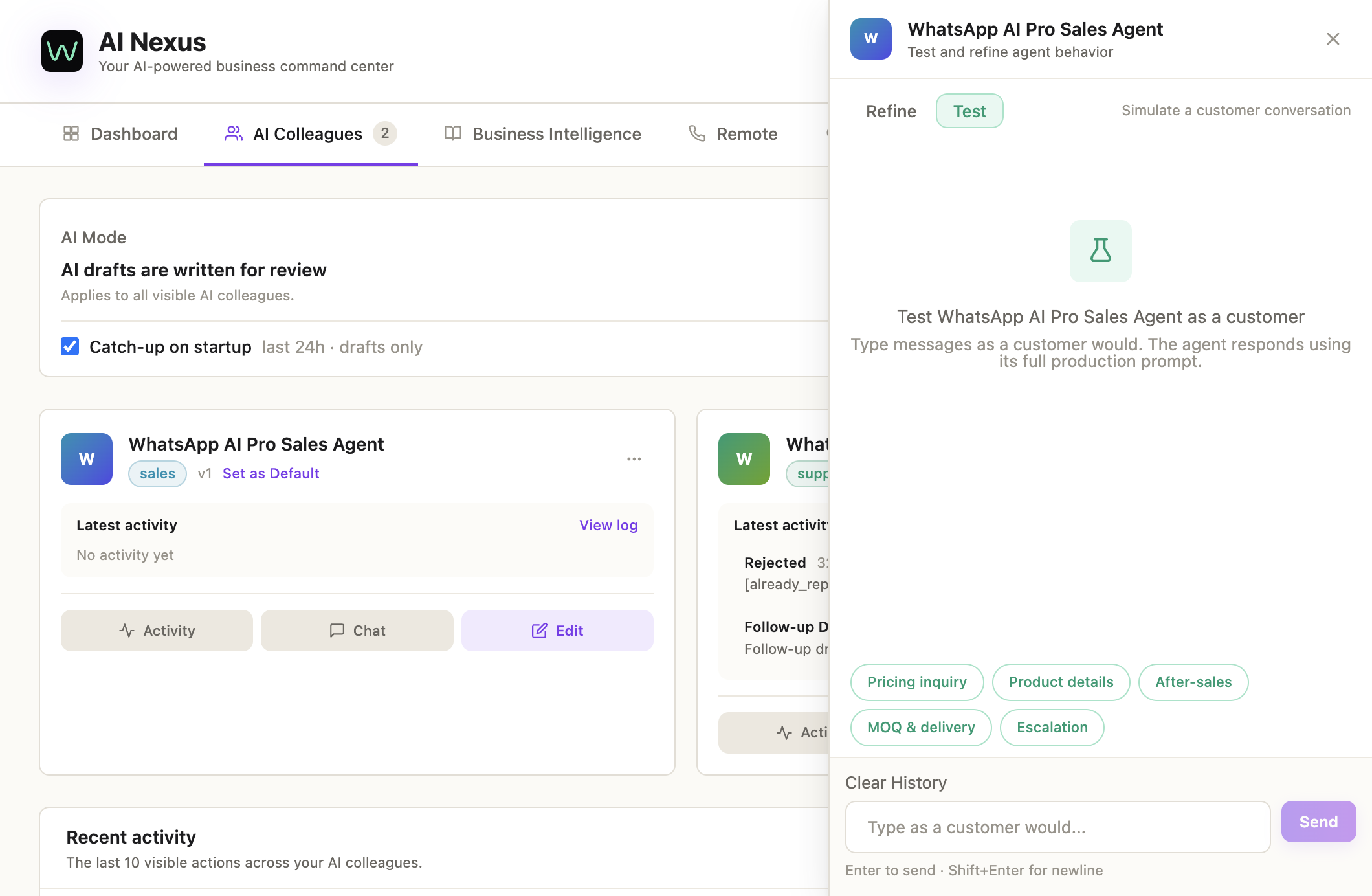
Pretend to be a customer. Type things like:
- "What's the price for 500 units of [your product]?"
- "Do you ship to Brazil?"
- "Can you do a sample order?"
- The trickier ones your real customers actually ask.
The agent replies using its full production prompt — what you see here is exactly what your customer would see. If a reply is wrong, switch back to Refine and tell it what to do differently. Iterate until the answers feel right.
✓ You're done with Step 6 when the agent answers your hardest test questions correctly and in your brand's voice.
Step 7 — Pick the AI mode (Checklist items 4 + 5)
Back on the AI Colleagues tab, look at the top-right of each agent card. Three modes:
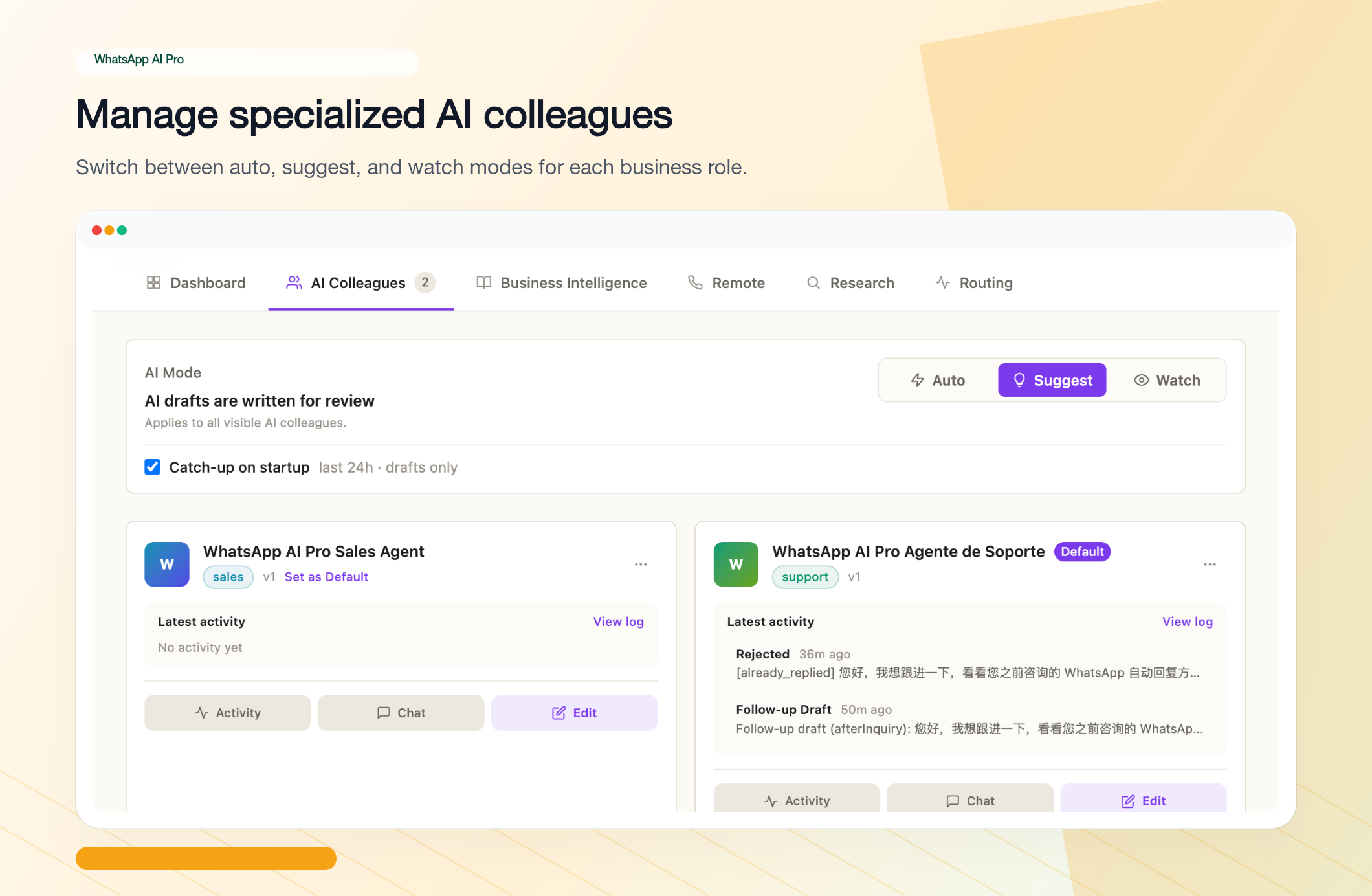
- Suggest — AI writes every reply as a draft. You approve, edit, or reject before anything sends. Start here for the first week. No matter how good your testing went, watching real drafts on real customers is how you spot the last 10% of rough edges.
- Auto — AI sends replies on its own. Best once you trust the agent on routine questions.
- Watch — AI reads conversations and builds CRM profiles but doesn't draft anything. Use this if you only want the customer-intel features.
You can switch modes per agent and per session, anytime.
✓ You're done with Step 7 when at least one agent is set to Suggest and the checklist item "Pick a default agent" has a green tick.
Step 8 — Tune the session settings (optional but recommended)
Back in the main app, click the gear icon on the top-right of any session. The right panel shows per-session toggles:
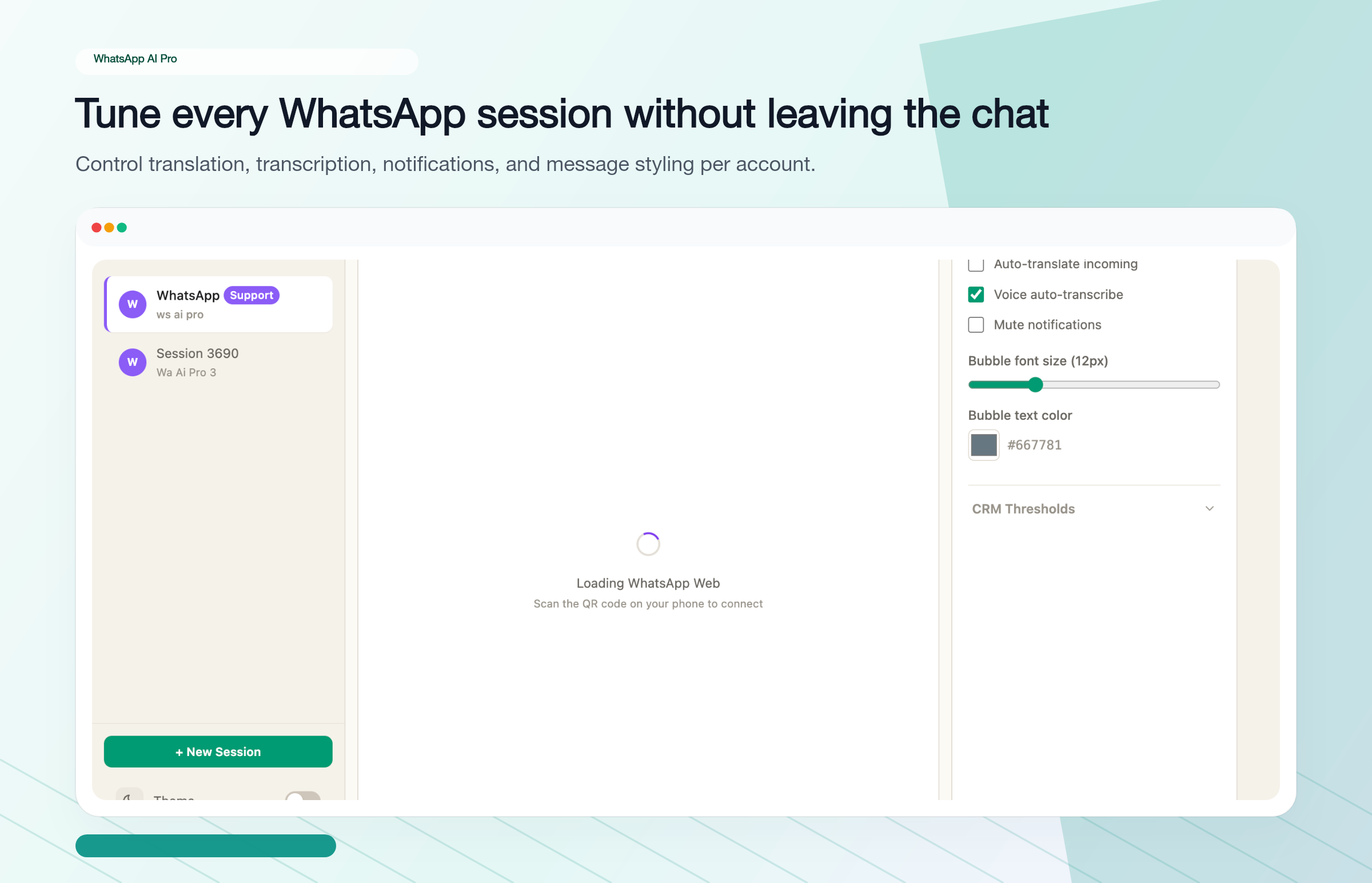
Turn on the ones that match your situation:
- Auto-translate incoming — translates each incoming message into your reading language; your reply goes out in the customer's language. Essential for cross-border sales.
- Voice auto-transcribe — turns voice notes into searchable text the AI can act on.
- Mute notifications — for sessions you'd rather check manually.
These are per-session, so a Spanish-customer session and an internal-team session can have different settings.
✓ You're done with Step 8 when auto-translate is on for any session where the customer doesn't speak your language.
Step 9 — Watch the first AI reply happen (Checklist item 5)
Wait for a real customer message — or, faster, ask a colleague to message your business number.
In Suggest mode, the draft appears at the bottom of the chat with Approve / Edit / Reject buttons. Approve → it sends. That's the moment the last checklist item turns green and Quick Setup hits 5/5 complete.
To see everything across all agents in one view, open AI Nexus → Dashboard. Conversations are sorted into pipeline columns automatically:
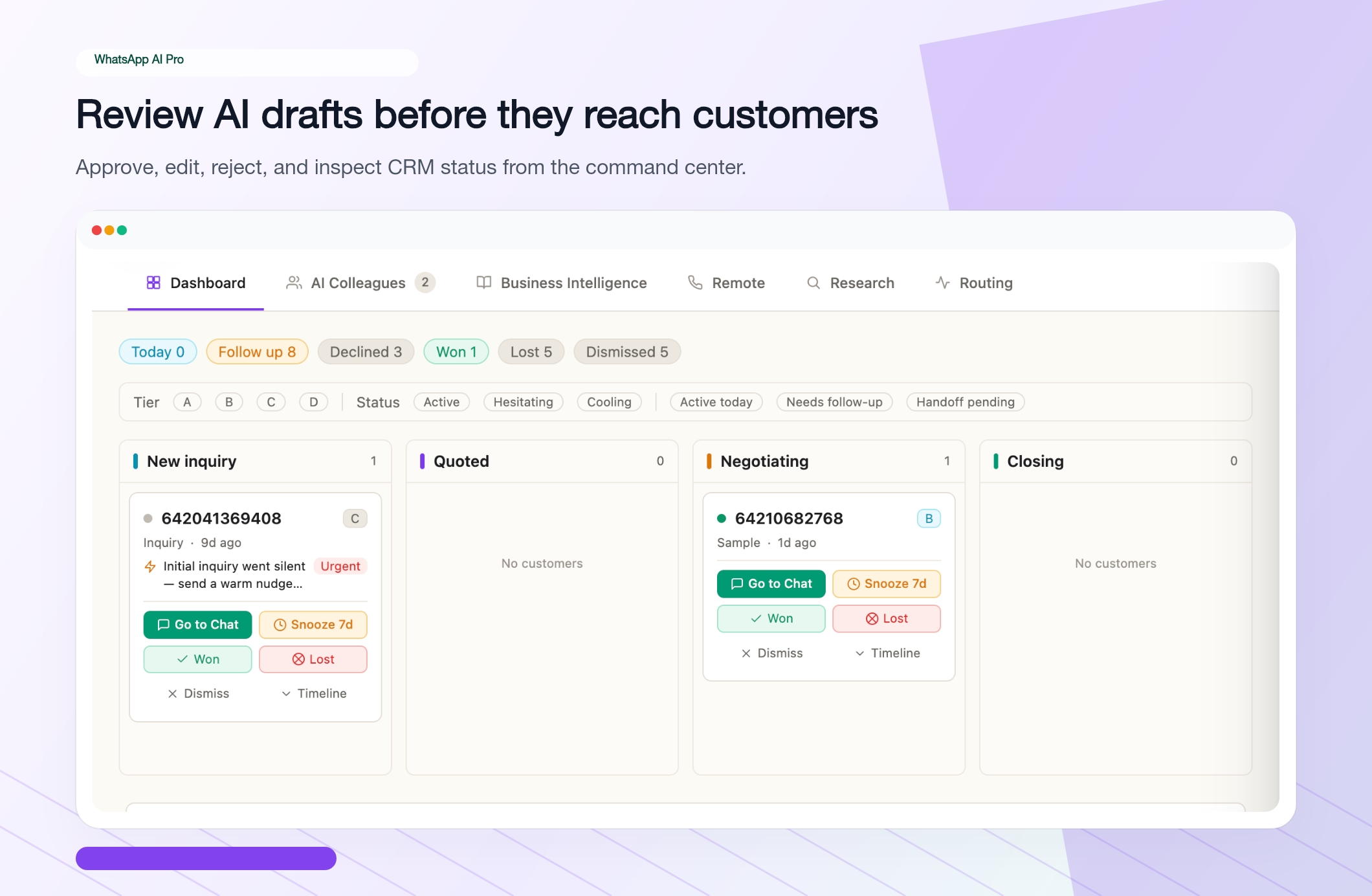
Each card shows the contact, the last AI action, and quick buttons (Go to Chat, Snooze, Won, Lost, Dismiss).
For an audit trail of what the AI has been doing, open any agent's Activity log:
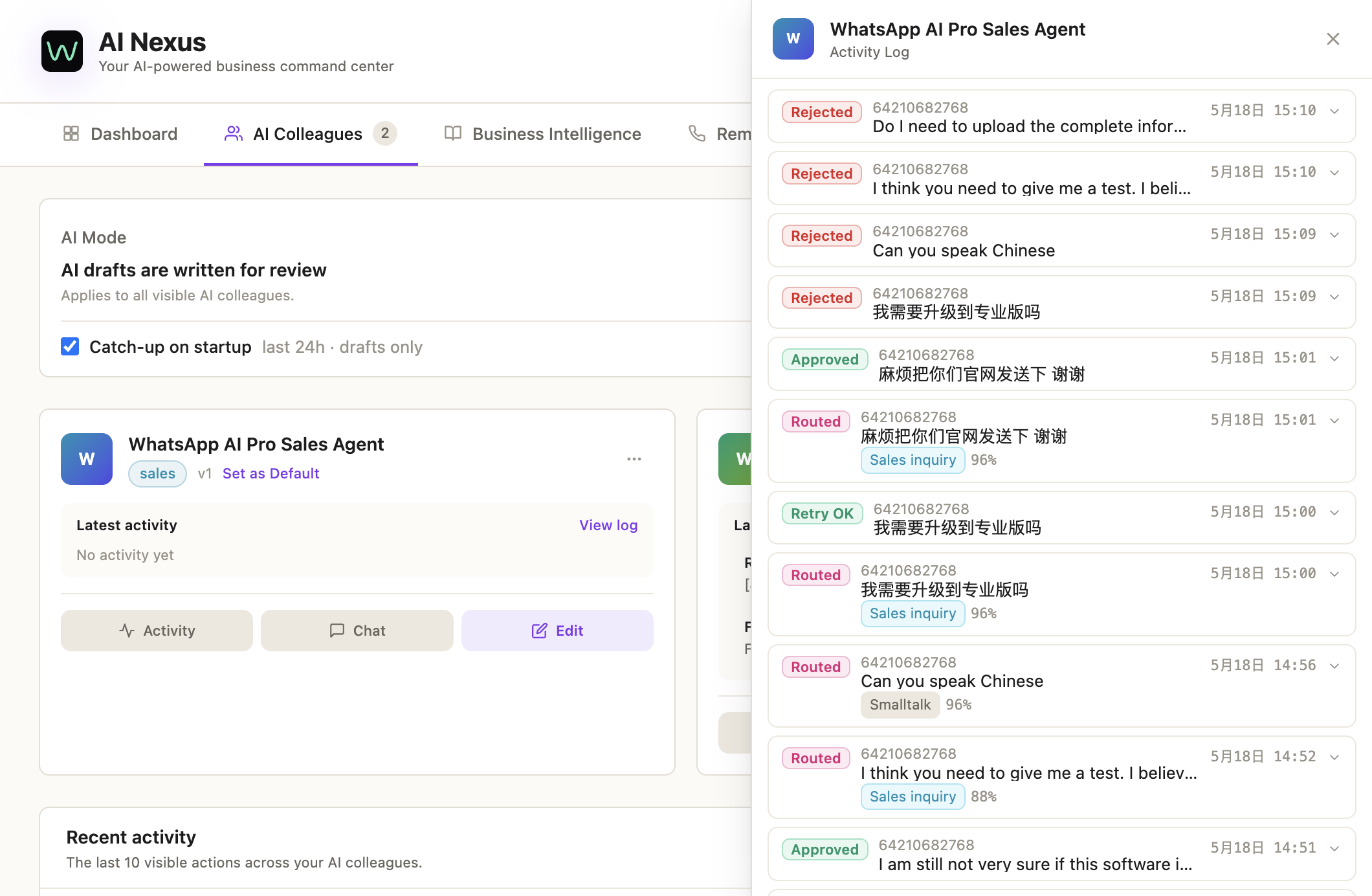
Every draft is logged — Approved, Rejected, Routed (escalated), Retry. You can scroll back and see exactly why the AI made each call.
✓ You're done with Step 9 when at least one real reply has gone out and you can see it in the Activity log.
Step 10 — Approve replies from your phone (optional)
If you're often away from the desktop, set up Telegram approvals so you can tap Approve / Reject from your phone:
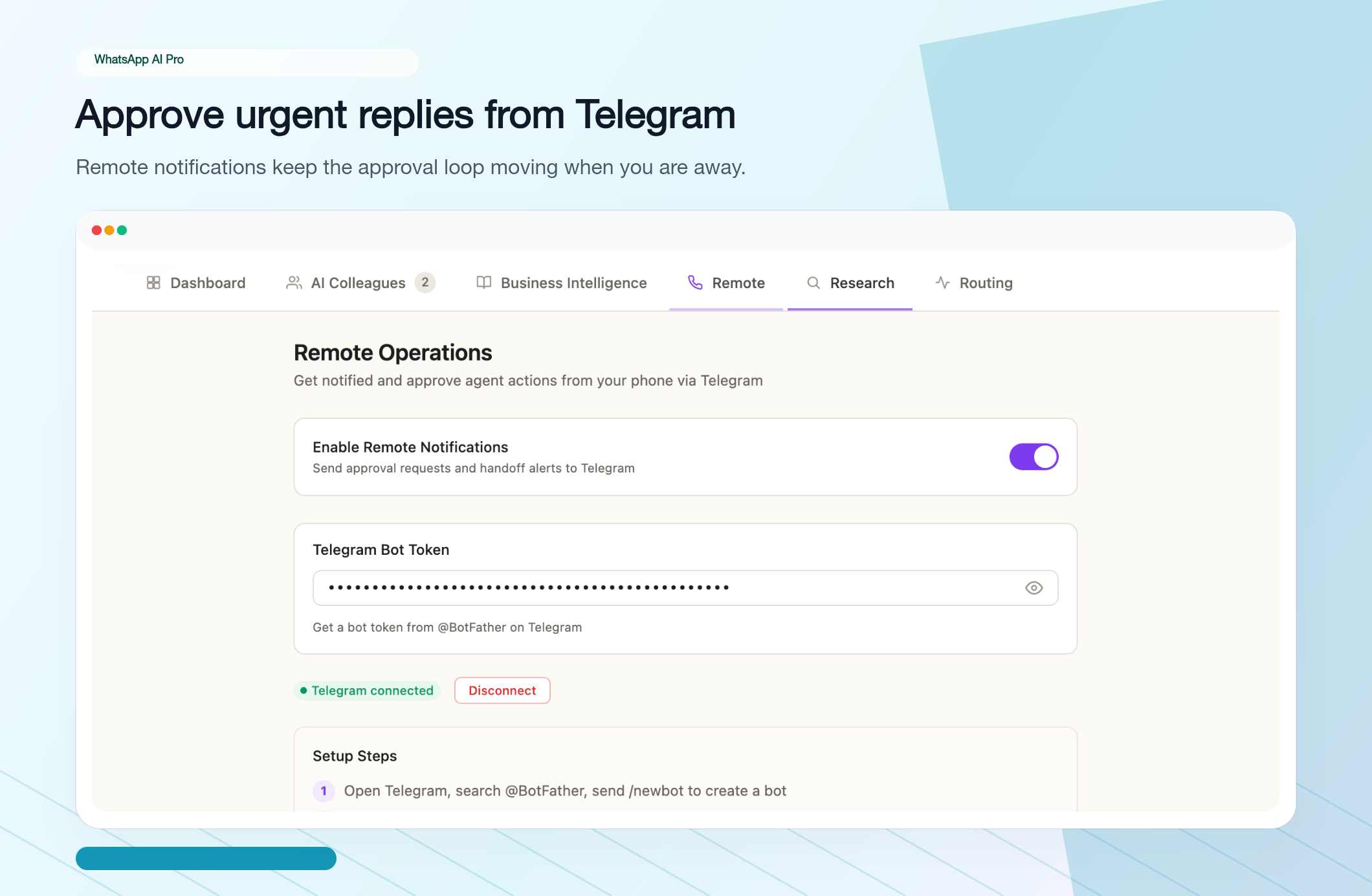
Open Telegram, search @BotFather, send /newbot, paste the token into AI Pro's Remote tab, hit Enable Remote Notifications. Every pending draft from now on lands in Telegram as an approval card:
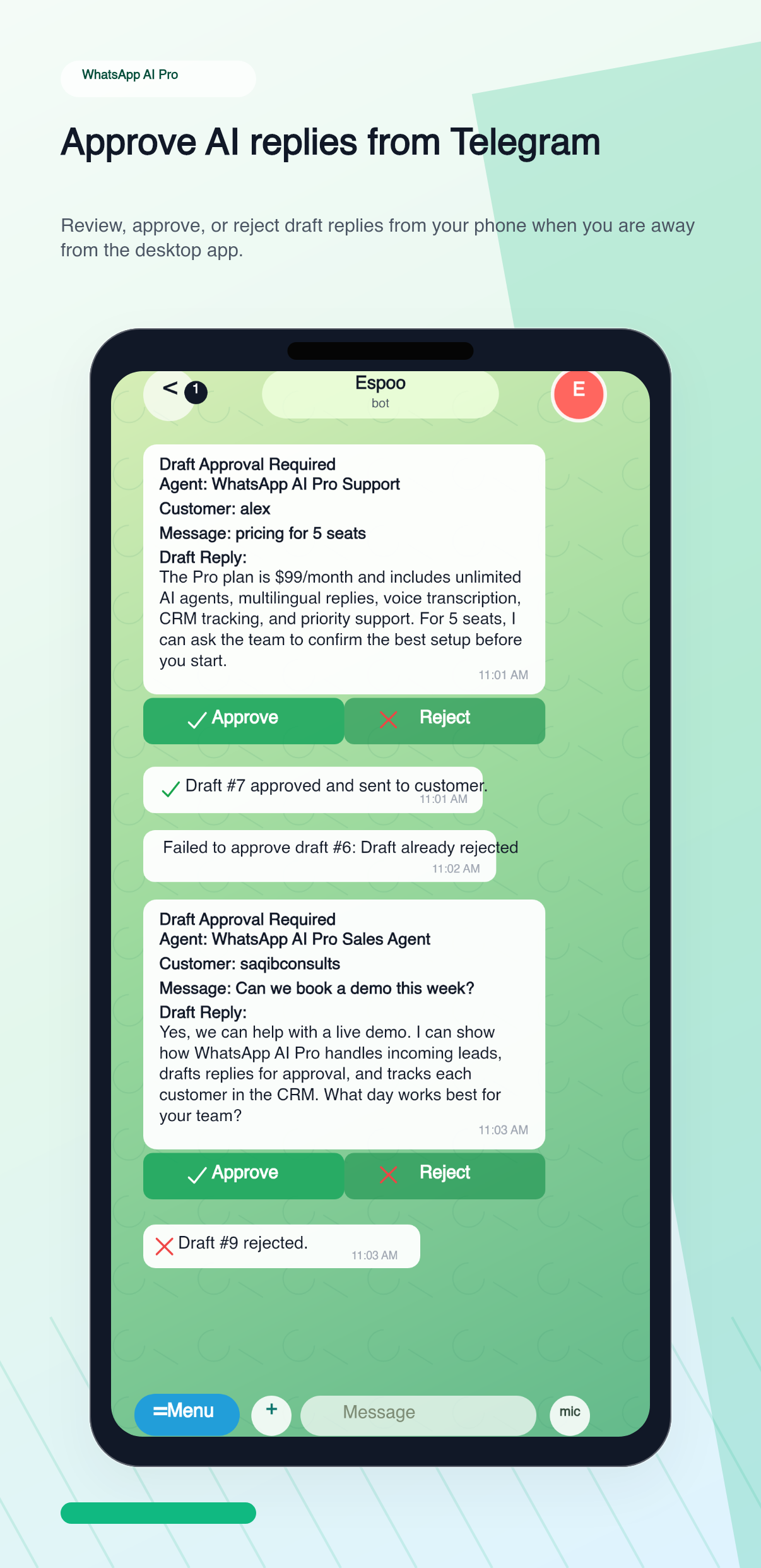
Full walkthrough: Telegram remote control guide.
Things that trip people up
"The AI keeps inventing prices / specs." Your Business Intelligence has gaps. Open AI Nexus → Business Intelligence, click Re-analyze, and make sure the Catalog and Identity sections are filled in. The AI only stops guessing when it has something to ground in.
"Replies feel too formal / too casual." Go to AI Colleagues → Edit → Refine and tell it directly: "Use a more conversational tone, like texting a friend." It'll update training notes immediately.
"I want auto for FAQs but manual review for quotes." Set the agent to Auto, then in Refine add: "If the customer asks about pricing or custom orders, save as draft and notify me — don't send automatically." The agent will route quote-related messages for approval and auto-send everything else.
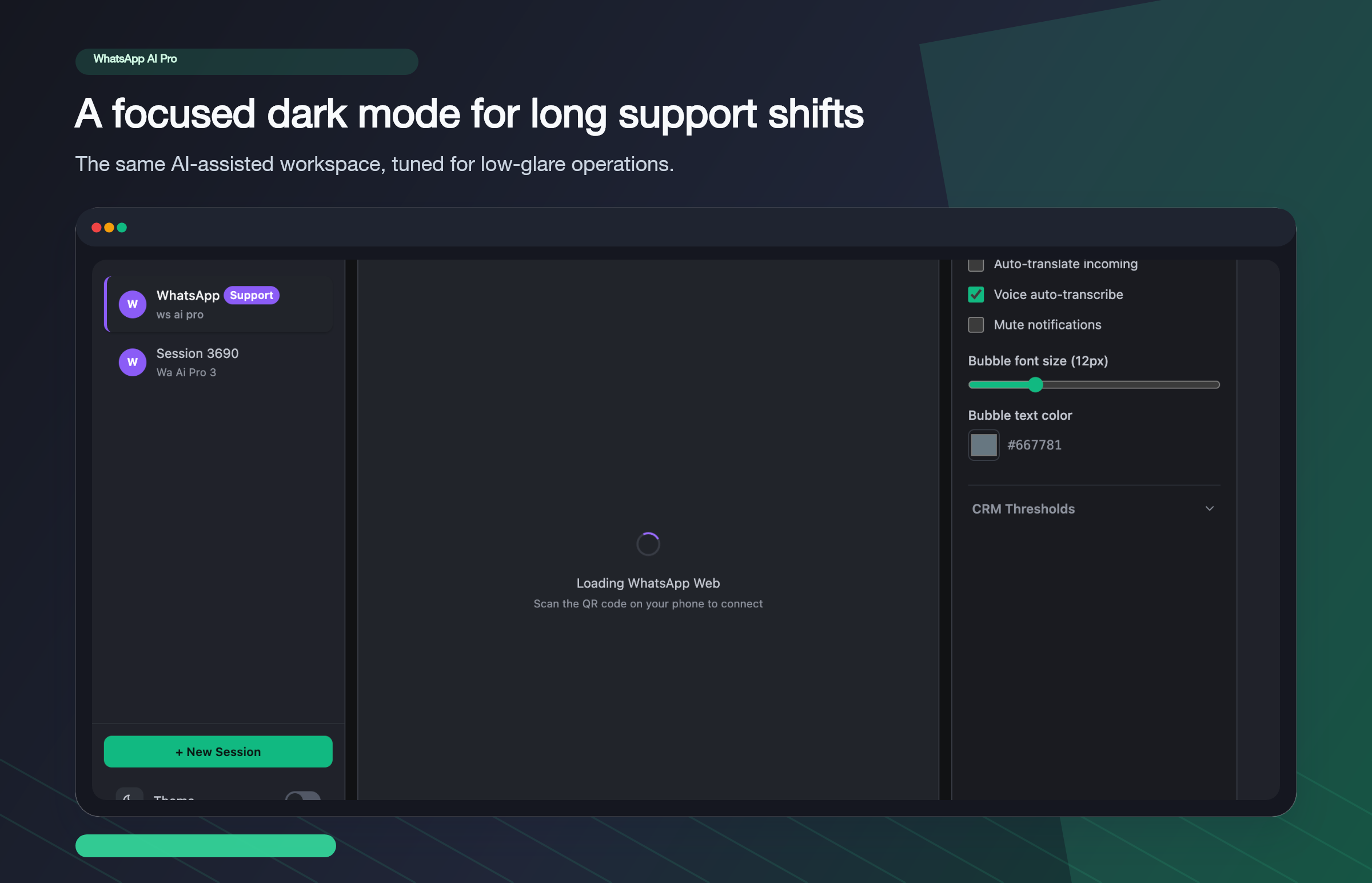
"I prefer dark mode for long shifts." Toggle Theme at the bottom of the sidebar:
The honest playbook
- Run Suggest mode for the first week. Approve, edit, reject. Every edit you make is a free training signal — note the patterns.
- Each time you reject a draft for the same reason twice, add a Refine instruction so it doesn't happen a third time.
- Once you're approving 90%+ of drafts without edits on a category of question (price quotes, shipping, return policy…), it's safe to switch that agent to Auto.
- Keep one agent on Suggest for the messages you never want auto-sent (custom quotes, complaints, anything VIP).
That's the whole thing. Download here if you haven't yet, and ping us on WhatsApp if you get stuck mid-setup.
The complete guide: WhatsApp AI Auto-Reply: everything in one place →